Nonafi
My Mom is in the early stages of dementia. The flavor of the disease is semantic primary progressive aphasia, which means she's losing her words. That sucks. But she loves music and still wants to be able to listen to it. She has a pile of CDs and tapes and her old stereo, but remembering how to use the stereo is getting complicated. Plus I didn't want her to have to deal with all that stuff in her new living space.
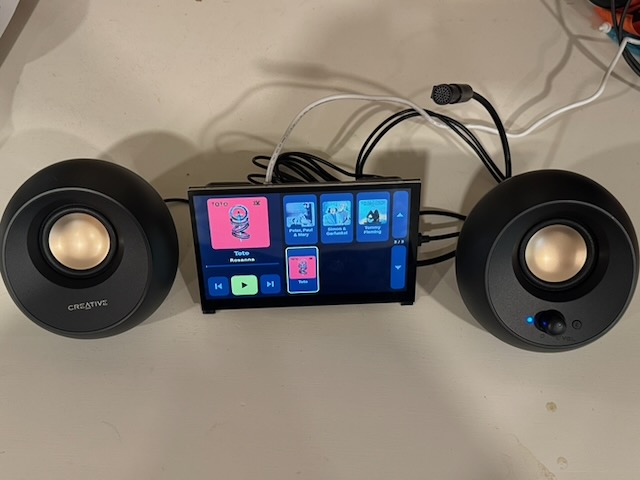
So I took the Pi that I built for audio processing and built what was my most challenging user interface yet from a usability perspective.
Introducing Nonafi: hi-fi for Nona. Who's gonna deny Grandma her hi-fi? Not this guy.
The requirements #
- Has a UI so simple that a person with dementia can use it.
That's what makes it so hard. Even if an existing device exists that I don't know about, I figured I could make it better because I don't have the pesky problem of needing to make money with the solution. No ads, no data harvesting, no upselling, no terrible engineering built by the lowest bidder.
I also needed to be able to remotely administer the device for updates and adding more music because I'm a few hours away. This is an unusual but critical requirement.
The Device #
The UI #
Obvious design attributes #
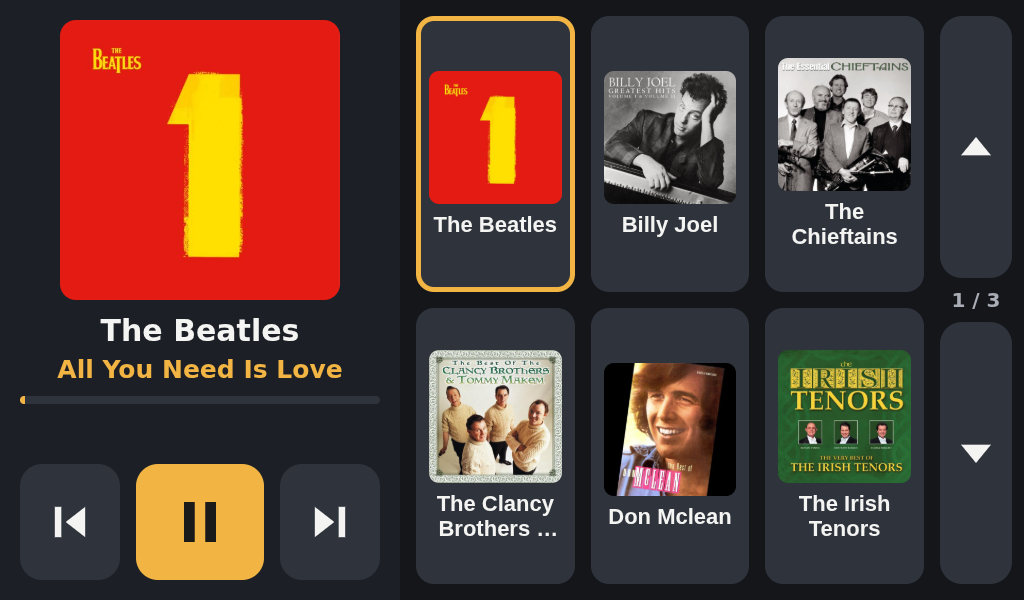
- There are no albums; it's organized by artist. This removes complexity so that the user only needs to remember one thing about the artist.
- It begins playing immediately when you click an artist. No wondering where to click, and if a single click is enough, or if clicking on something requires another movement and click to begin playing.
- No swiping. Ironically this confused my daughter when I had her try it out, but it's not for her. Having big buttons for everything means the user can hopefully press stuff and figure it out.
- As few buttons as possible. This is a loss of functionality for the benefit of extreme usability for the use case of "I want to play music by one of my favorite artists". No shuffle, no favorites, no playlist, no share, etc.
Non-obvious design attributes #
- If you press on the Now Playing album art, it shows a list view of the tracks for that artist. So you can choose an individual track if you know how. I'm guessing that if a person knows enough to want that, they can remember how to use that feature.
- It supports voice commands! The sad running joke with my Mom's dementia is that everything's either an
eventor adevice. Given that this is in thedevicefamily, I trained the code to support phrases like "Hey Device, play the Beatles". This is probably more of a gimmick feature, but it's possible she'll genuinely use it. It's pretty amazing that an $85 Raspberry Pi 5 supports running software with custom voice commands. - Someone has to configure it for WiFi to be able to remotely control it (via tailscale). To allow me or someone technical to get to the OS menu, I added a hidden feature that exits the app if you hold down a little secret spot on the screen for 6 seconds.
How It's Going #
So far, better than I was expecting. She's been using it and wanted to listen to Josh Groban, so I ripped some from her collection and ran just upload ~/Music/Mom/"Josh Groban", then texted her to let her know it's available.
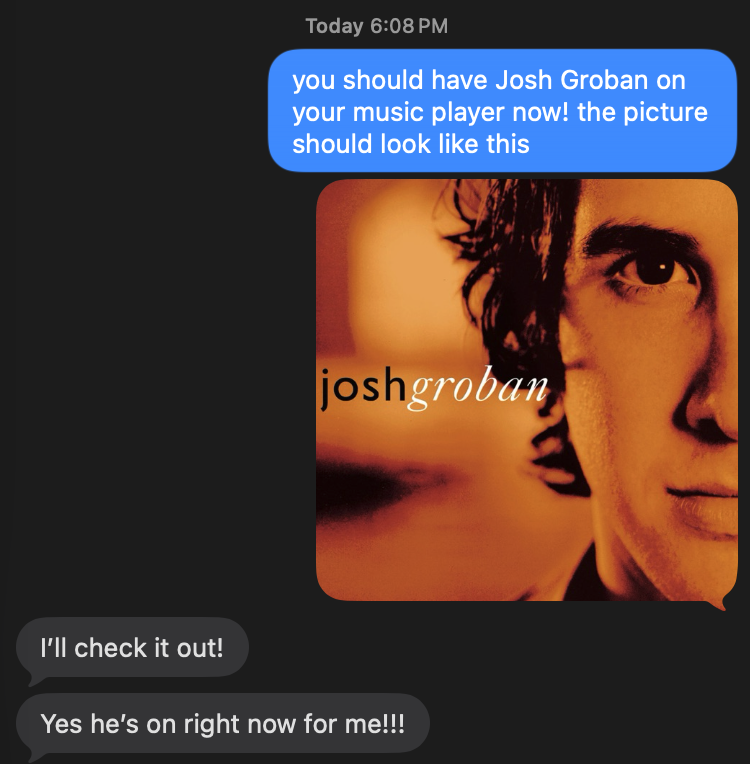
I know that eventually she won't be able to use it, but I'm hoping that's not for a while.
If you're interested in the software, it's MIT-licensed and available at github.com/dtanner/nonafi.
If you're interested in building your own and are new to configuring a Raspberry Pi with a touchscreen, I went into more details in the article I mentioned earlier.
- Previous: The Curious Case of Noisy Guitar Pickups